
Integrations
Connect the studio stack without giving up a core system.
Integrate tools like Zoom, QuickBooks, ClassPass, and PayPal while keeping Gymizen as the operating center for day-to-day workflows.
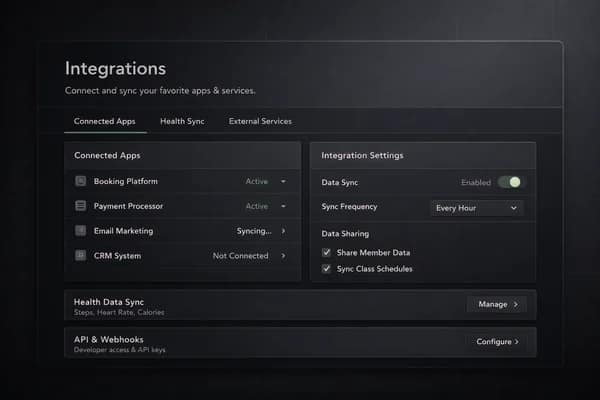
Connectivity
Keep key systems connected where they matter
Studios still rely on outside tools, but the operating system should stay central. Integrations should support workflows, not fragment them.
- Connect finance, access, scheduling, and distribution tools
- Support common systems already used by studio teams
- Keep external services linked to the main operating record
Practical use
Make integrations operational, not ornamental
An integration is useful only when it reduces manual work or expands what the studio can actually do inside the platform.
- Reduce double entry across core workflows
- Keep accounting, access, and distribution systems aligned
- Support cleaner execution across departments
Platform role
Let Gymizen remain the source of action
External tools will exist. The point is to keep the team operating from one center instead of training everyone to work across disconnected surfaces.
- Preserve one main workflow for staff
- Keep integrations as extensions instead of primary interfaces
- Make future vertical expansion easier to support
Visuals
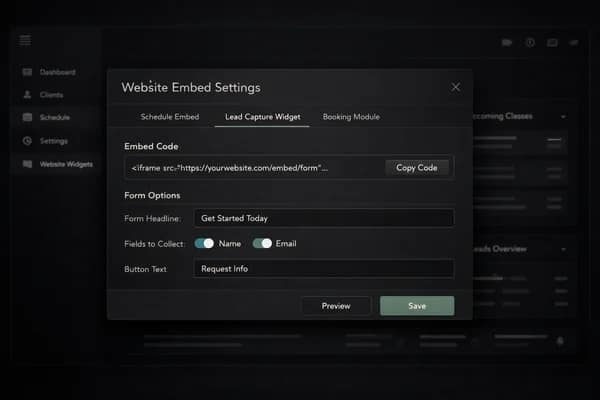
See how integrations looks in the product.
Connected apps and external systems.
Testimonials
What operators say about this workflow.
“Integrations replaced a manual workaround our team was repeating every day. We can move faster without losing control.”
Avery Chen
Owner, Northline Pilates
“Once we put integrations inside the same operating system as bookings and member records, the whole workflow finally started to make sense.”
Marcus Bell
General Manager, Foundry Strength Club
Related features
Explore the connected parts of the platform.
Plan the next step
Follow this workflow into pricing, proof, and the live demo.
Good feature pages should connect the product detail to the next commercial decision. Use these paths to compare plans, read the operator material behind the workflow, or open the demo.
Next path
Gym software pricing
See which plan fits the workflow depth, rollout complexity, and member experience your brand needs.
Next path
Resources for operators
Read guides, release notes, and operator insights connected to this part of the platform.
Next path
Try the demo
See this workflow in context with scheduling, member records, reporting, and the branded member app.
Start Free
Start a 30-day free trial or book a guided rollout.
Launch and Studio can start self-serve. Multi-location brands can book a demo for rollout planning, data migration, and commercial terms.